.webp)



.webp)
.svg)


TL;DR
- SentiSum is the top CX analytics software for 2026, offering AI-driven insights across calls, chats, surveys, and reviews.
- CustomerGauge is best for B2B CX analytics, connecting NPS to revenue and account health.
- Qualtrics remains the most complete CX analytics platform, with deep journey insights and AI recommendations.
- MonkeyLearn leads in DIY text analytics, ideal for custom models and tailored sentiment analysis.
- The best CX analytics tools offer multichannel data, machine-learning accuracy, automated insights, and strong integrations.
- AI customer experience analysis reveals sentiment, themes, churn drivers, and CSAT issues faster than manual methods.
- Companies using AI-powered CX analytics see 25–40% lower churn through faster issue detection.
- Choosing the right CX analytics tool helps teams understand customer pain points, improve journeys, and make data-driven decisions.
In this article, we’ll introduce you to SentiSum our own customer experience analytics platform and we’ll show you how it excels in the above areas.
We’ll also look at three alternative tools to help you make a decision that’s right for you.
The 4 Best Customer Experience Analytics Platforms (In a Nutshell)
In a nutshell, here are the four tools we'll look at today:
- SentiSum: the best AI-based customer experience analytics software for B2C and D2C companies
- CustomerGauge: the best customer experience analytics Tool for B2B Net Promoter Programs
- Qualtrics: the most comprehensive customer experience management platform
- MonkeyLearn: the best DIY text analytics software
Related read: 3 Best Voice of Customer Analysis Tools
SentiSum – The Best AI-Based Customer Experience Analytics Software for B2C
Overview
SentiSum is one of the only experience analytics platforms that covers every channel of customer feedback (from surveys, reviews and social media, all the way to customer service calls and chats).
In one, simple-to-use dashboard, you get clarity on your customer’s voice across all their touchpoints with you.
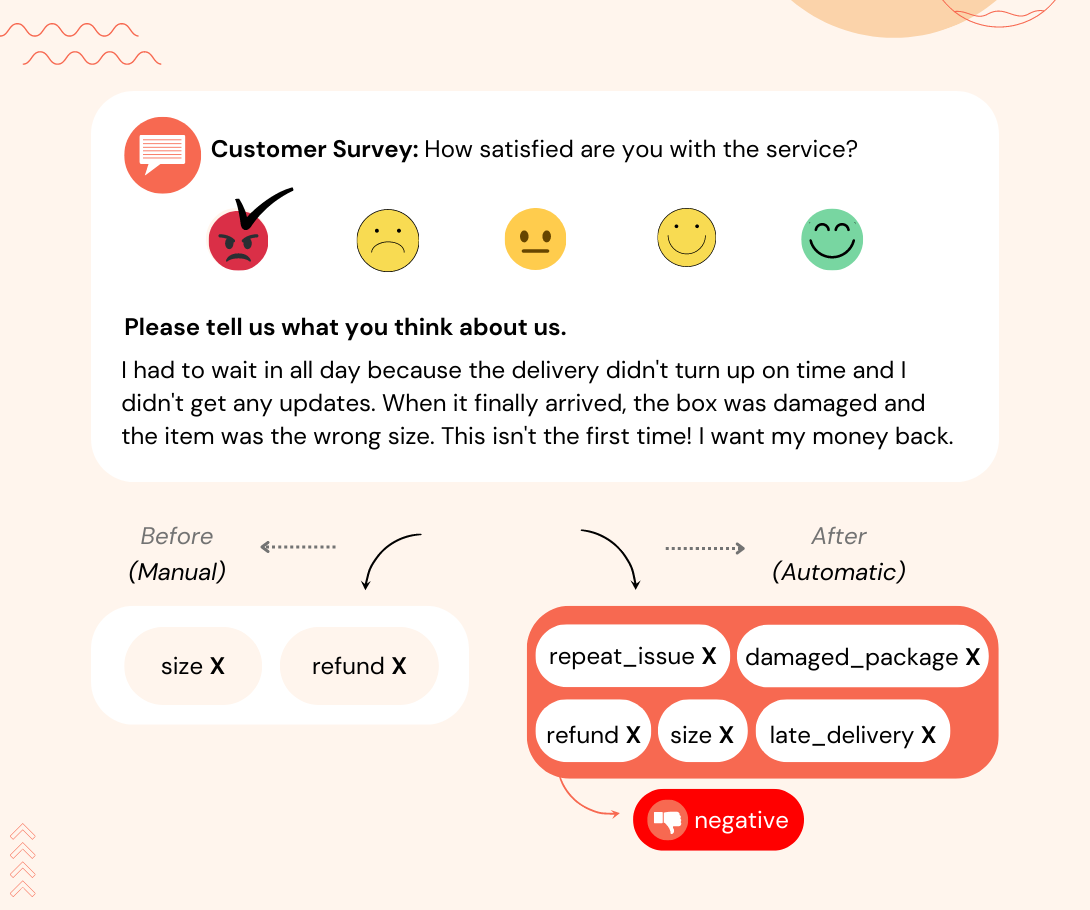
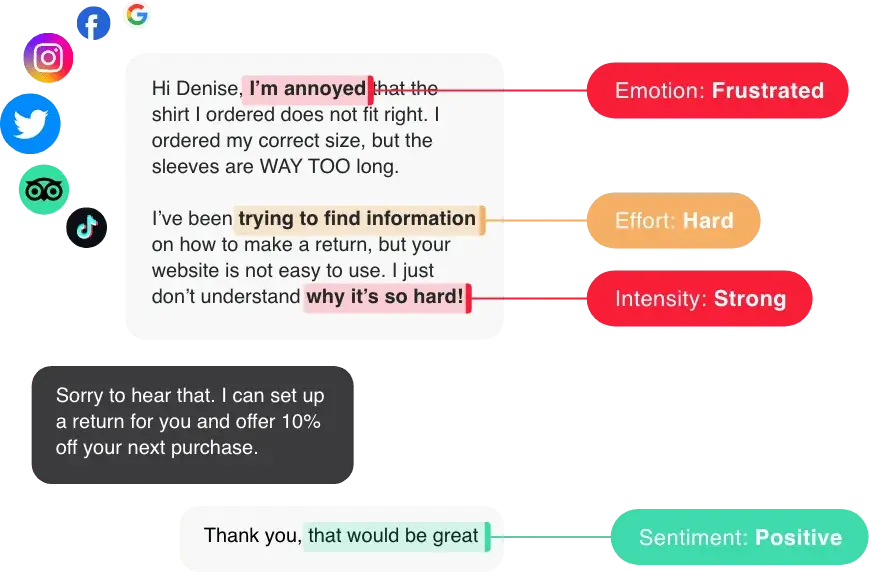
Our superpower lies in our AI capabilities. SentiSum uses machine learning NLP to auto-analyse and tag customer feedback with customer sentiment, reason for contact, urgency, and more.

In the screenshot below, you can see how powerful machine learning NLP is compared to keyword-based or rule-based analytics:

We also recently launched “Dig-In”, a ChatGPT-like feature for your own feedback data. You can ask any question about your data and get back succinct, summarised answers. (We talk about it more in the later sections.)
How It Works
In a nutshell, here’s how SentiSum works:
- Natural language processing (NLP) technology consumes and analyses your voice of customer data
- Machine learning applies granular tags on customer sentiment, topics, keywords, and more
- SentiSum’s easy-to-use dashboard shows you the key drivers of CSAT and NPS
Who is it for?
SentiSum is perfect for mid-market and enterprise companies in the D2C and B2C sectors.
Leading companies like Gousto, Ticketmaster, Hotjar, and Schuh love SentiSum.
The 4 Key Factors
How does SentiSum stack up against the four factors we mentioned earlier? Let’s find out.
Factor 1: SentiSum brings in data from all your feedback channels on one dashboard.
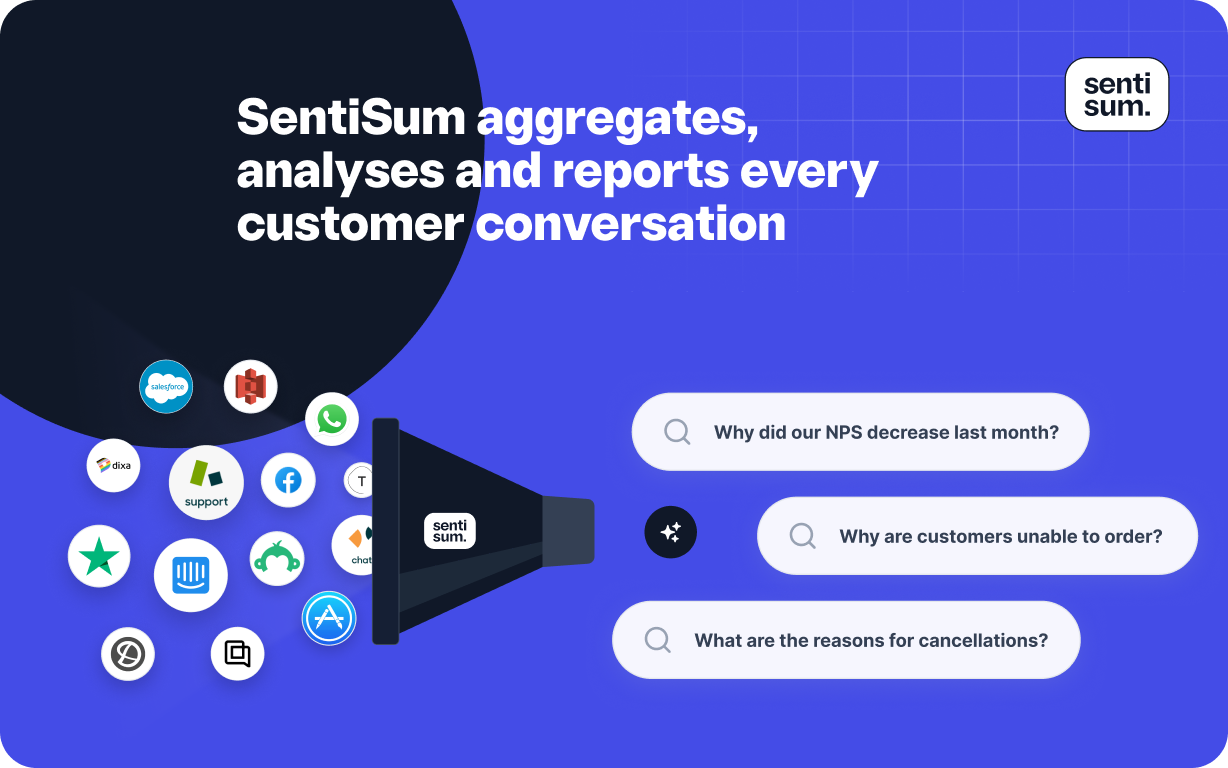
SentiSum collects all the customer feedback on all your channels onto one workspace.
Unlike most customer experience analytics tools, SentiSum is incredible at the essentials like surveys, reviews, social media, but also previously untapped channels which are a goldmine of insight (like emails, calls, chats, and other customer support channels).
On SentiSum’s insights dashboard, you can easily flip between different channels to see the key insights for each (e.g. increases or decreases in issues).
Simply choose the channel you need from a drop-down list and all the data will be there for you. (You can see it for yourself in the GIF below ⬇️)
You can even analyse data from customer service phone calls on SentiSum. Previously, you could be having 20,000 phone calls a day but this data would just go into a “black box” unless you sat and listened to each call.
With SentiSum, you can read them, get detailed insights at scale, and get feedback to improve agent performance – all on the dashboard.
Factor 2: SentiSum gives you accurate, actionable insights from your data.
SentiSum turns customer feedback support conversation into accurate, intelligent insights in real-time. It can help you:
- Analyse customer sentiment at scale. SentiSum uses machine learning NLP to auto-analyse customer sentiment.
Why is this important? It can give you really granular objective insights into what issues evoke what emotions in your users, why they’re actually contacting you, and help you identify the true drivers of NPS and CSAT.
Quickly recognise the pain points and friction areas troubling your customers and address them at the root to reduce churn and improve overall CX.
- Understand more about your new (and existing) products. Once you understand the sentiment and the true reasons for contact, you can use this data to identify bottlenecks in your product. These accurate insights also help you build stronger cases to push for improvements with your product team.
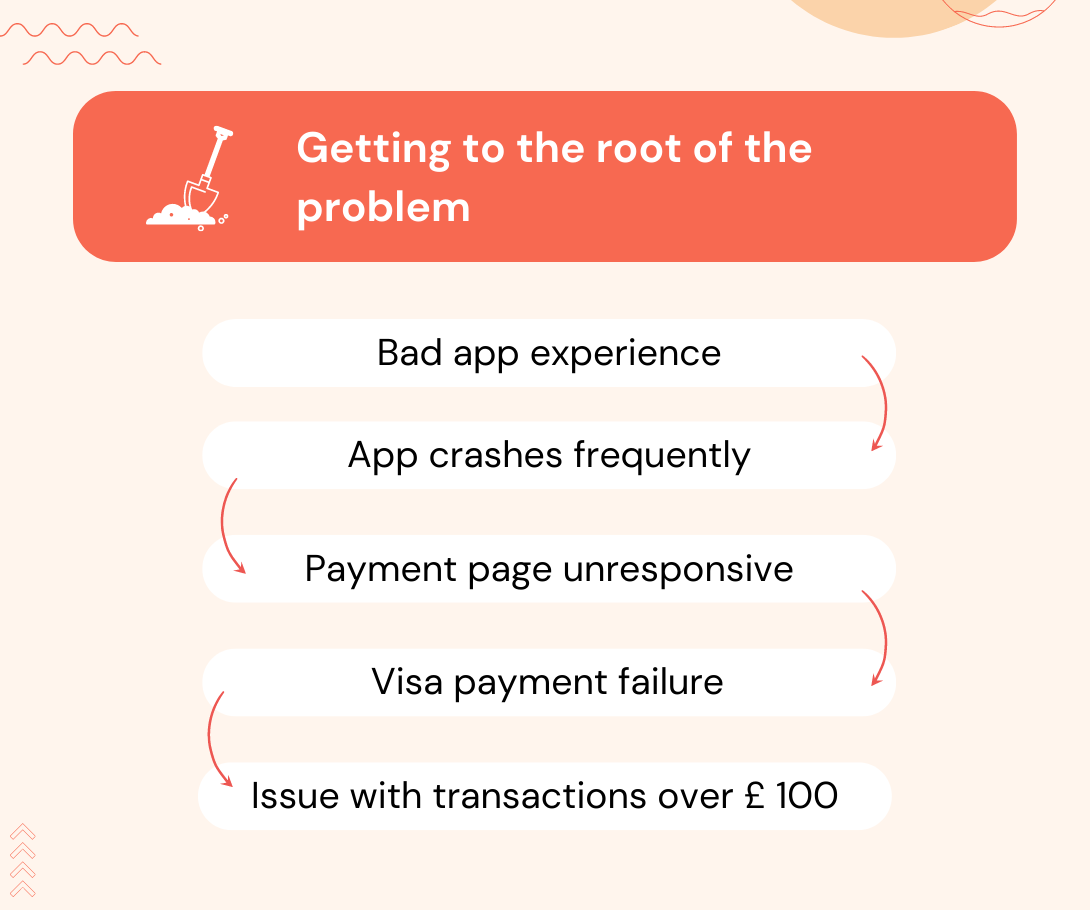
- Make sense of your CSAT survey data. SentiSum uses text and sentiment analytics to automate the analysis of CSAT survey results. It even ties support ticket topics to CSAT scores, so you'll know why a negative score was given even if your customer doesn't leave a comment. Read more on our CSAT solution.
You can also see CSAT scores and customer sentiment in real-time on SentiSum’s dashboard.
.svg)
Factor 3: Anyone in your organisation can use SentiSum without extensive training.
We built SentiSum to be extremely simple and easy to use for everyone.
Just bring your data in and you’ll get useful, detailed, accurate insights on your dashboard right away. There’s no guesswork or technical needs to make it work.
Anyone in your organisation, whether it’s the CMO or a call centre agent, can log in and understand the insights. You can also customise dashboards for each team and show ONLY the relevant data that they need.
If you need help, our amazing Customer Support Team is just one chat away.
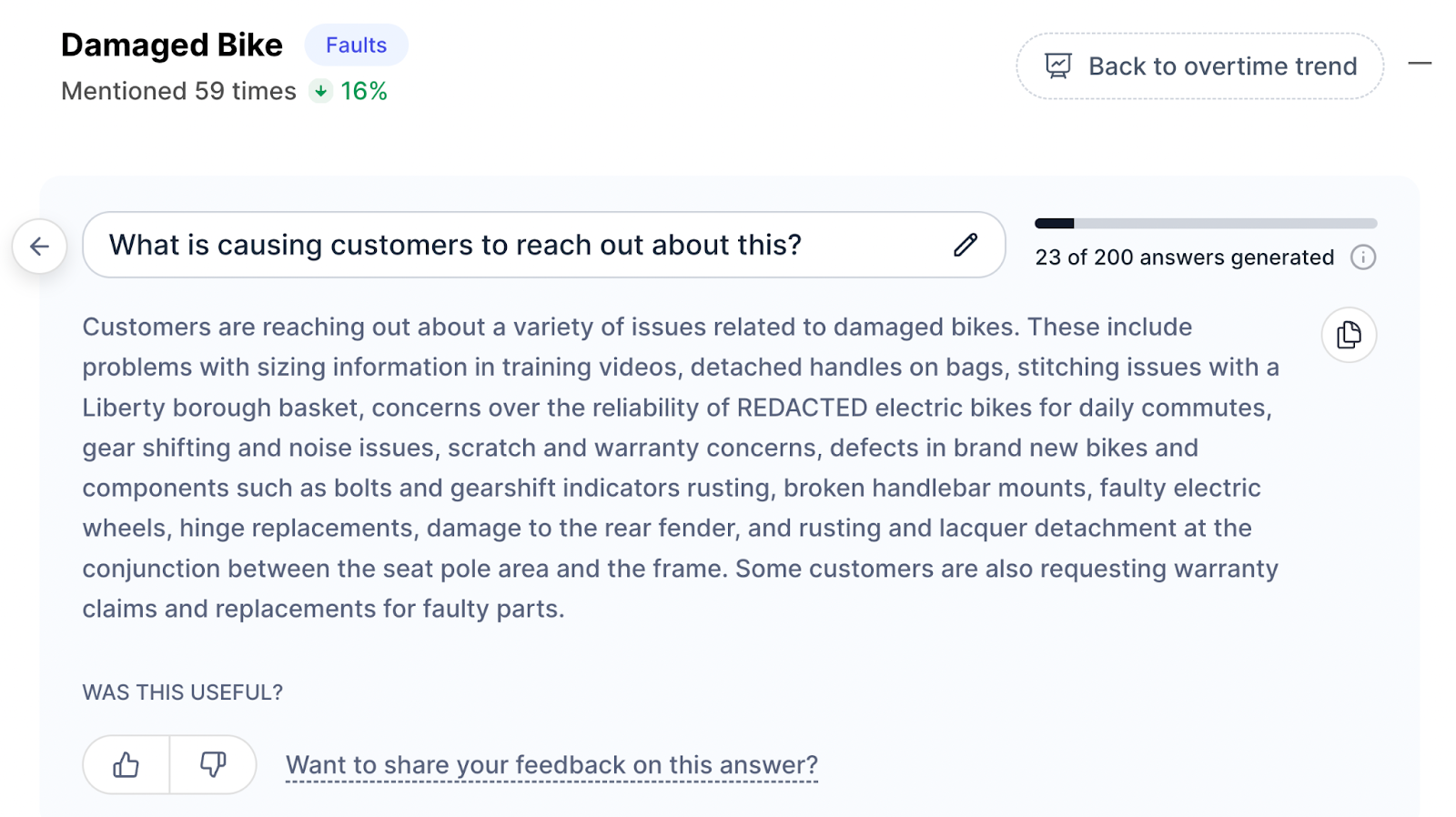
We also recently launched “Dig In” - SentiSum’s own ChatGPT. Ask any questions about your feedback data and it’ll return succinct, summarised answers in seconds.
Just simply click on a tag that you want to explore and select the question you want to answer. In moments, SentiSum will read through your tickets and tell you:
- what's causing that particular issue
- what customers are suggesting to fix it
- the impact the issue is having on customers, and more.
Factor 4: SentiSum integrates with your current tech stack.
SentiSum integrates with all major (and most minor) helpdesks and feedback platforms. We're completely secure and follow strict data security regulations—with clients of our size, we're used to managing complex security needs.
Here are some examples of technology partners we integrate with:
- Customer service help desks – Zendesk, Freshdesk, Help Scout
- Survey companies – TypeForm, SurveyMonkey
- Social media channels – Whatsapp, Facebook
- Review websites – TrustPilot, G2
Explore full integrations here.
You can build standardised automation flows with a custom AI model and push insights to these tools. This allows you to set up prioritisation and triage rules based on customer sentiment and urgency.
Reviews
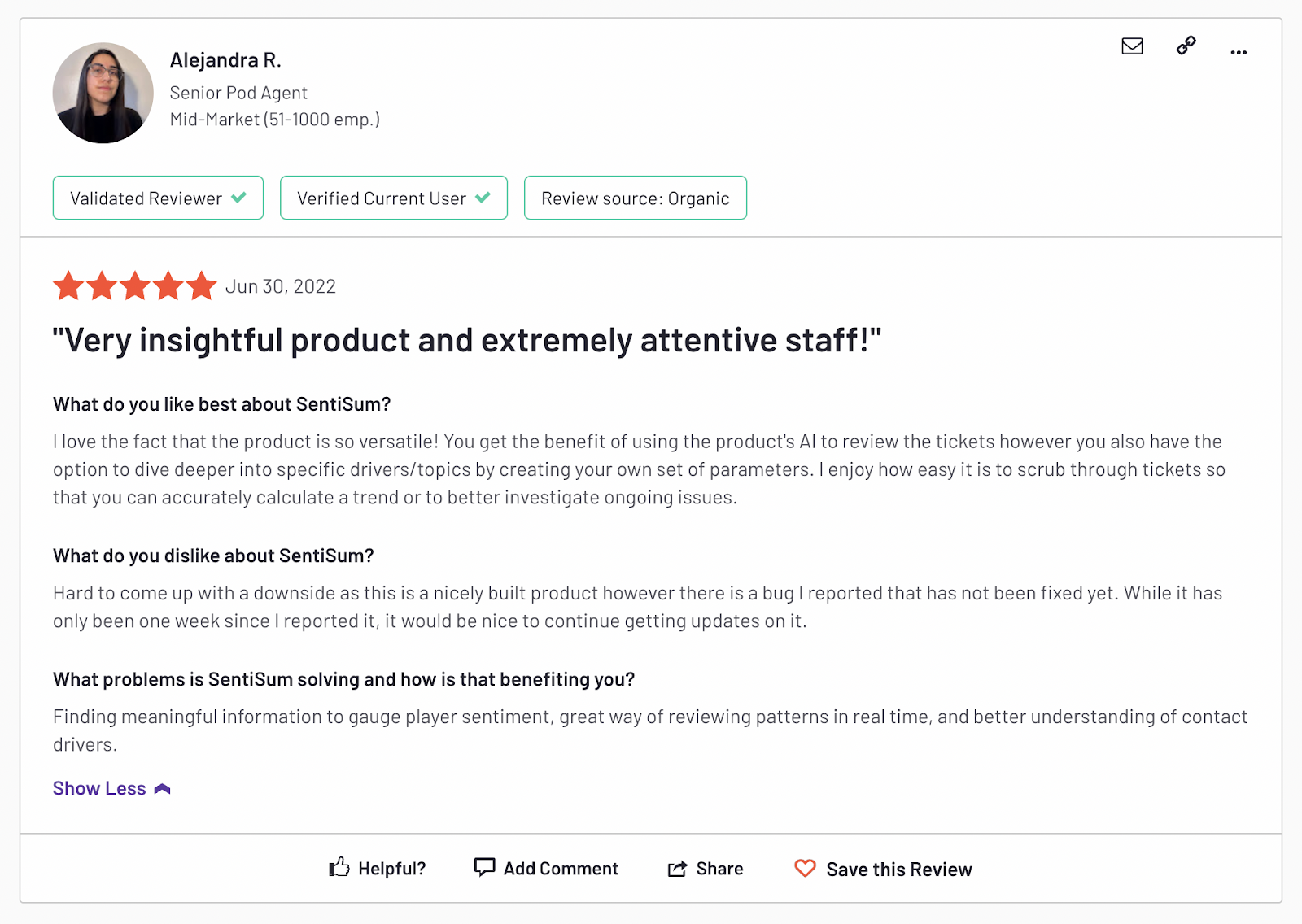
SentiSum has a score of 4.8 out of 5 on G2.com.
Pros and Cons
Pros:
- Brings in data from all major feedback channels in one place (even phone call conversations)
- Automatic sentiment analysis and tagging - no manual work needed
- Powerful AI that you can ask anything and get answers instantly
- Simple, easy dashboard anyone can use
Cons:
- Strictly a customer experience analytics tool - doesn’t support survey creation
Pricing
SentiSum’s prices are flexible and scale depending on the number of channels, users, and ticket volume. Our “Pro” plan starts from $3000/month. More details here.
CustomerGauge - The Best Customer Experience Analytics Tool for B2B Net Promoter Programs
Overview
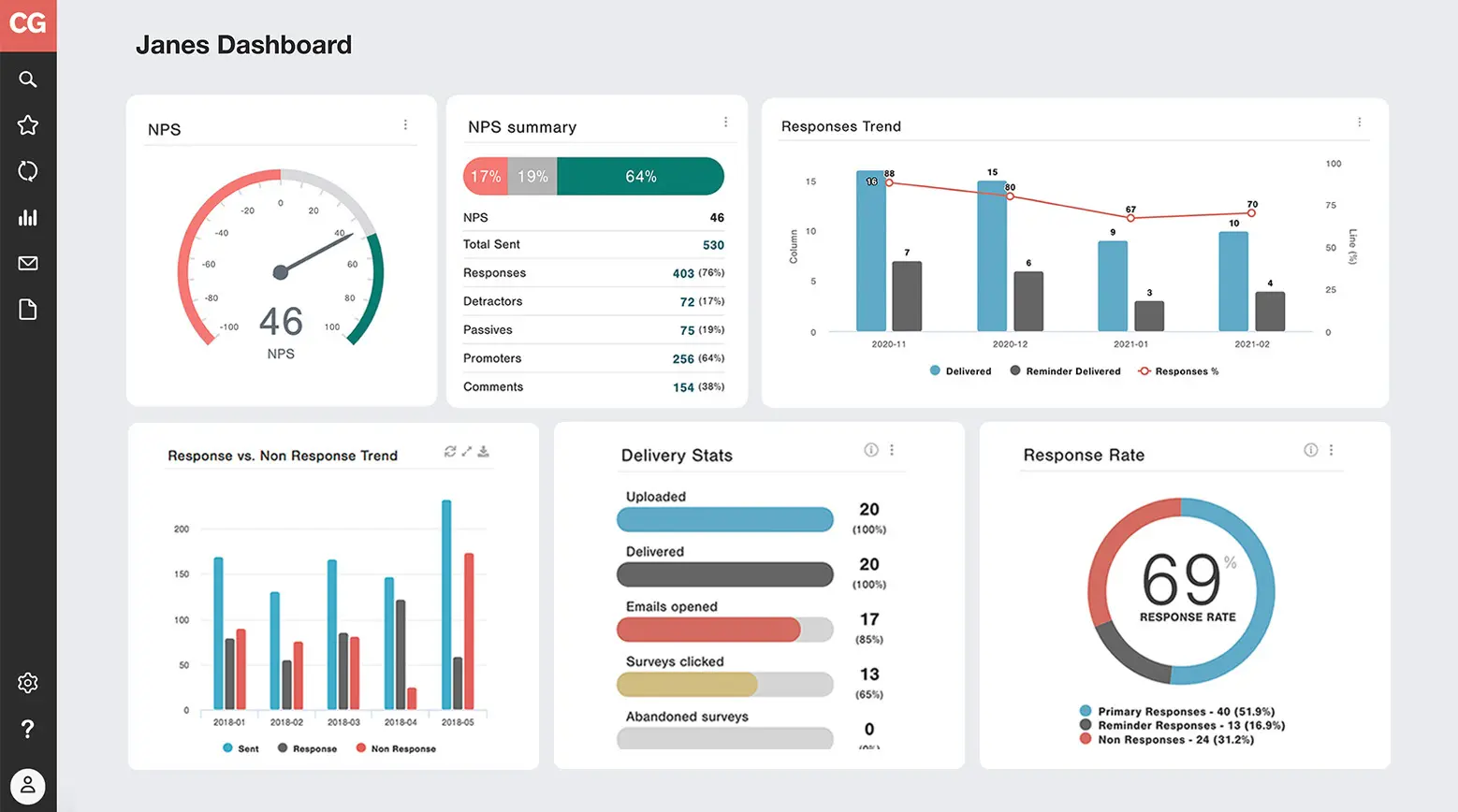
CustomerGauge is a B2B-focused tool that helps you build, analyse, and improve Net Promoter Score (NPS) programs.
It’s one of the rare tools in the market that links back NPS scores to the value of each B2B client account so you can prioritise your high-value customers. Identify upsell opportunities, reduce churn, and grow your revenue.
How it works
CustomerGauge primarily runs your Net Promoter program—from survey sending to response rate tracking. But they also integrate with all your customer touchpoints to identify customer account health.
In a nutshell, here’s what you can do:
- Quickly roll out NPS programs: CustomerGauge lets you build surveys on email, SMS, Whatsapp, embedded forms, pop ups, or even telephone agents, and automatically send them to your clientbase. This way, you can collect customer feedback at many transactional touch points across the customer journey and get more valuable insights.
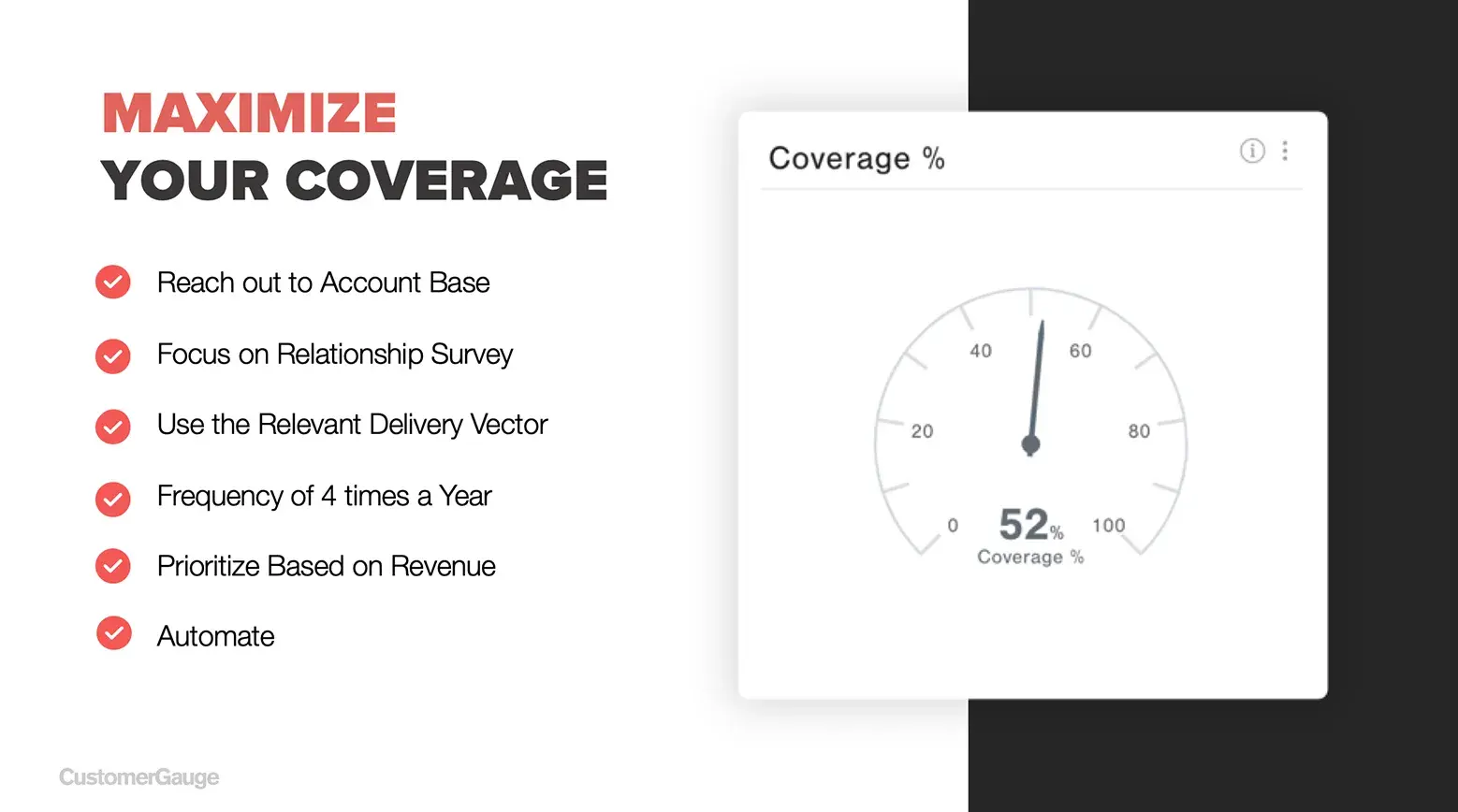
- Visualise your CX data on a custom dashboard: You can easily build an NPS management dashboard using customisable widgets on CustomerGauge. The dashboard will also show you accounts that are not responding to you and how much they’re worth.
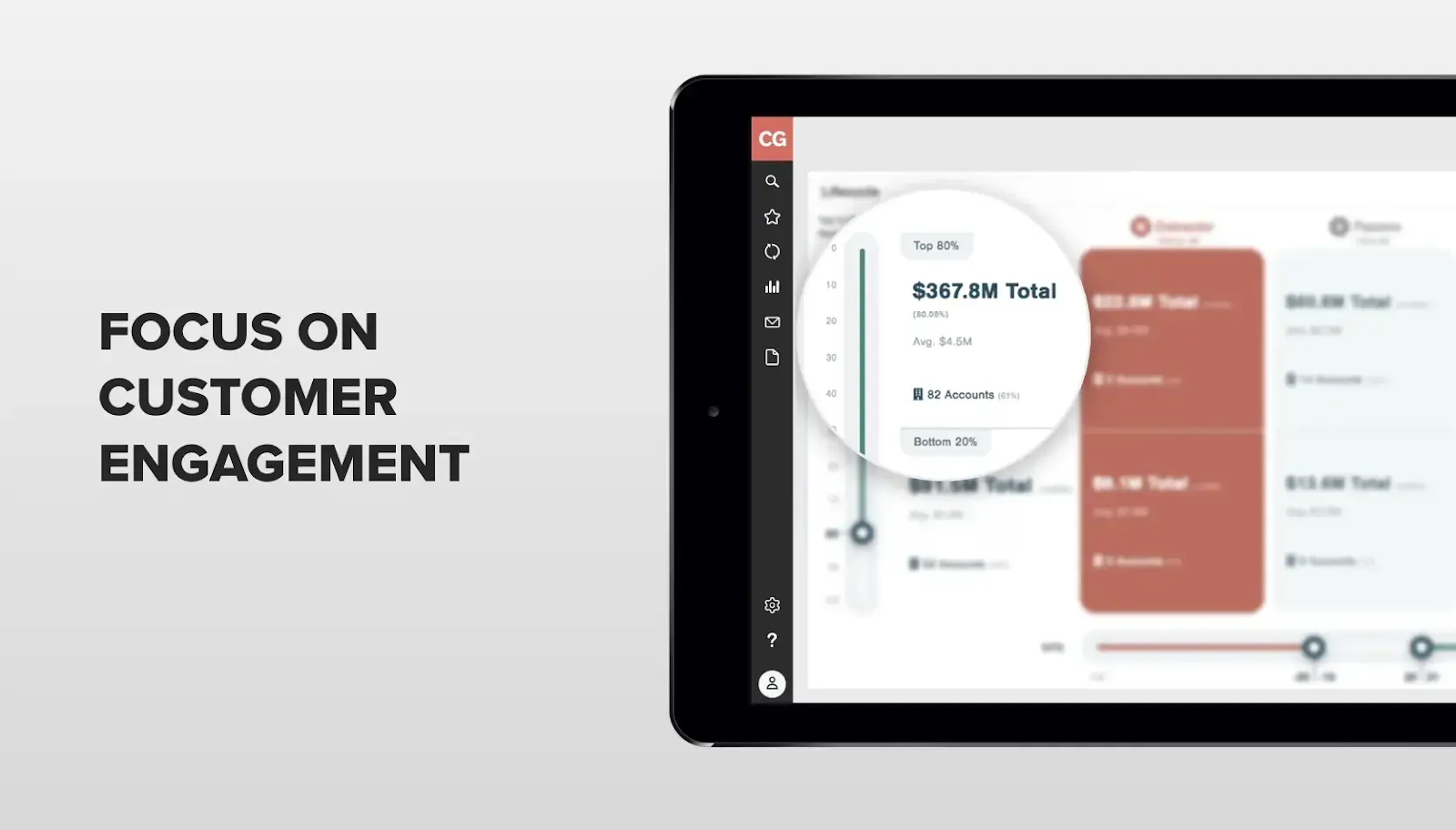
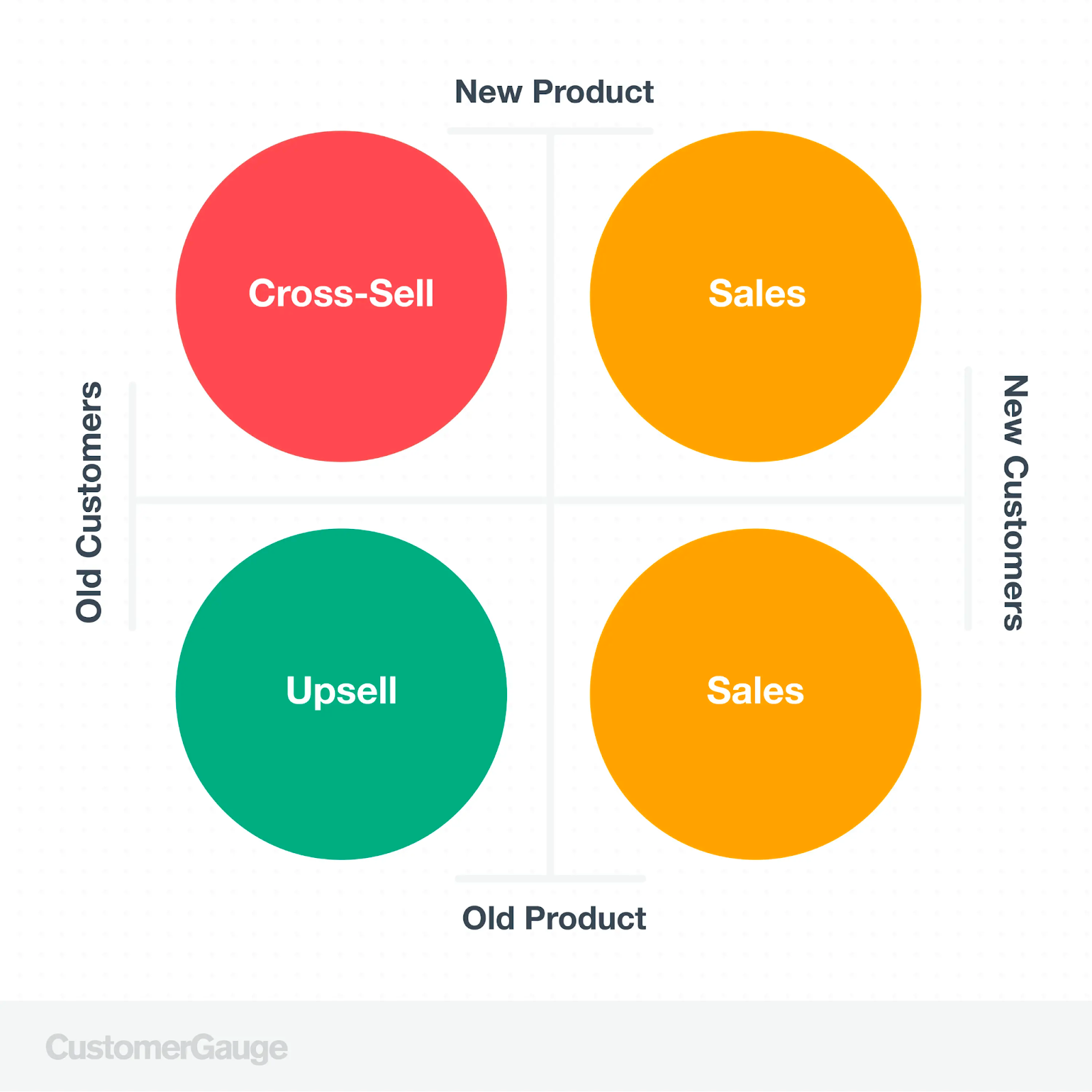
- Generate more revenue from promoters. Once you’ve identified happy customers, you want to “activate” them. Alert your marketing team when a new promoter is declared so they can reach out immediately to upsell opportunities or ask for reviews and referrals. CustomerGauge recommends four ways that you can leverage them for more revenue:
- Close the loop with detractors. Closing the loop is a central part of a customer experience strategy. If an account left a negative review, Customer Gauge allows you to instantly alert your frontline team via email, communication channels or in your CRM, so they can take action – fast.
CustomerGauge also recently launched integrations with Salesforce and Microsoft to ensure your account teams have real-time alerts and survey feedback embedded in their CRM systems. This is an important feature to be able to close the loop in 48 hours or less (which is key to boosting NPS scores).
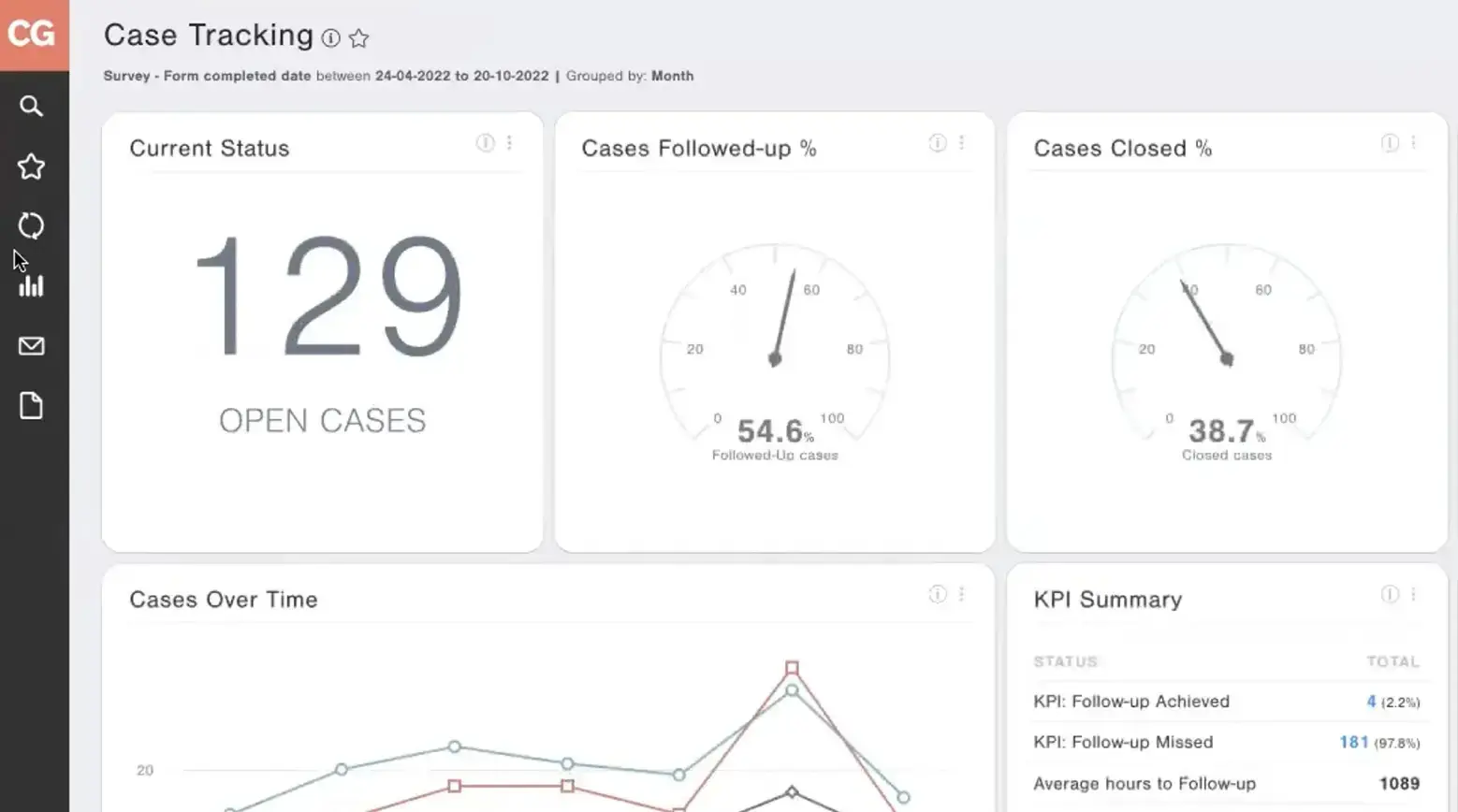
Who is it for?
CustomerGauge is best for B2B enterprises and big CPG firms. They are trusted by 100+ CPG brands, including Coca Cola, Heineken, and Anheuser-Busch.
Reviews
CustomerGauge has a score of 4.6 out of 5 on G2.com.
Hear from a real customer here.
Pros and Cons
Pros:
- One-stop solution to roll out NPS programs specifically for B2B clients
- Revenue-based prioritisation to take care of your most high-value customers and keep them happy
- Excellent customer support
- Helpful webinars and guides on how to use the product
Cons:
- Basic visualisations and limited customisation options
- Can get very technical - needs training and support
- Not suitable for B2C to D2C companies
Pricing
CustomerGauge pricing is not publicly available.
Qualtrics -The Most Comprehensive Customer Experience Platform

Overview
Qualtrics offers a full-suite of customer experience management tools on one easy-to-use platform.
We picked out two main software that we think are the most useful for CX leaders, “Core XM” and “XM for Customer Frontlines”, and we’ll dive deeper into each in the next section.
How it works
Qualtrics’ most popular tool is CoreXM, which helps you build CSAT and NPS surveys easily. Here’s how it can help you:
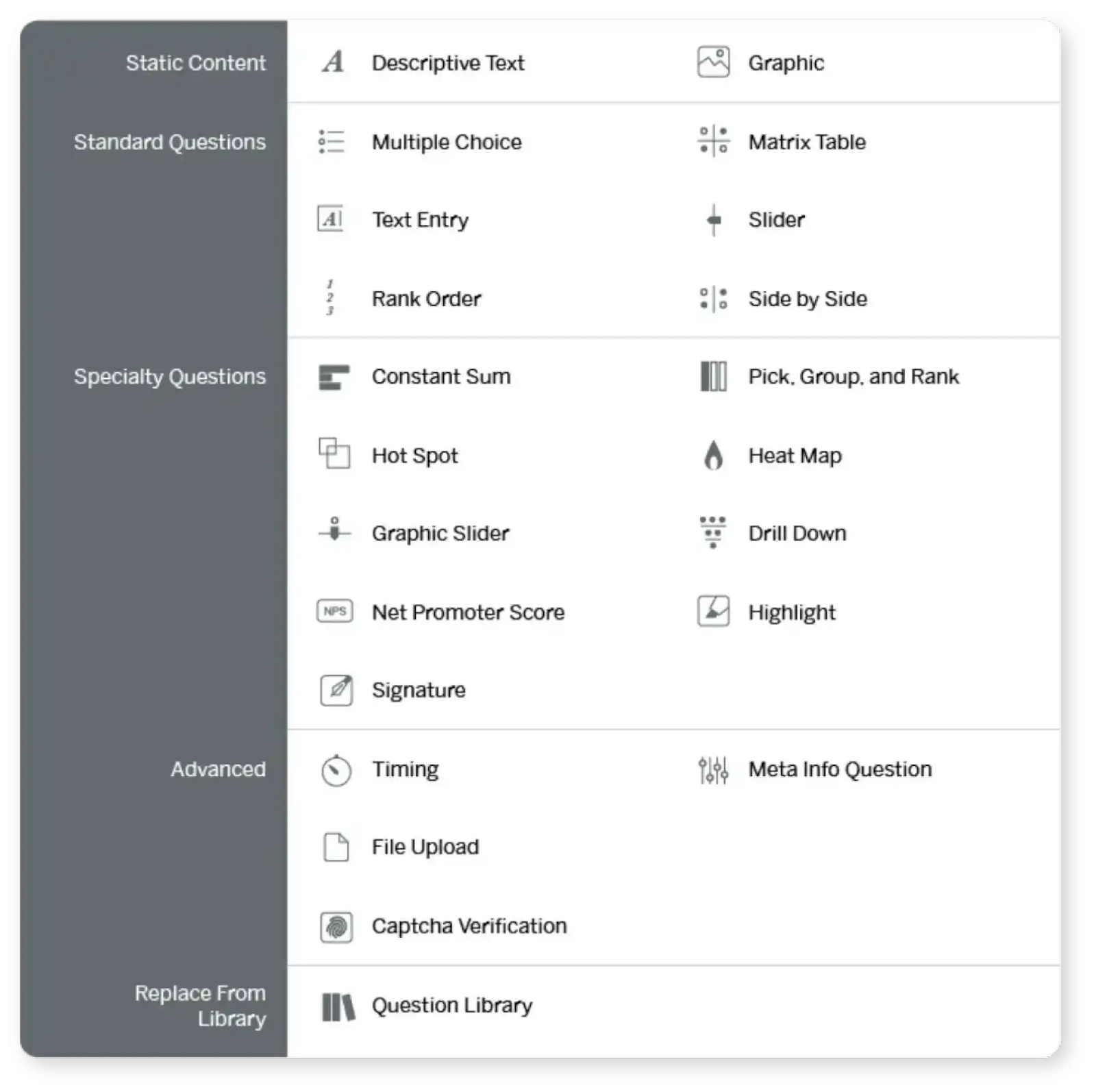
- Easily collect customer experience insights: With an intuitive drag-and-drop interface and pre-built survey templates, you can start creating CSAT and NPS surveys in no time. You can also maximise respondent data quality and vet methodologies with Qualtrics’ built-in survey intelligence.
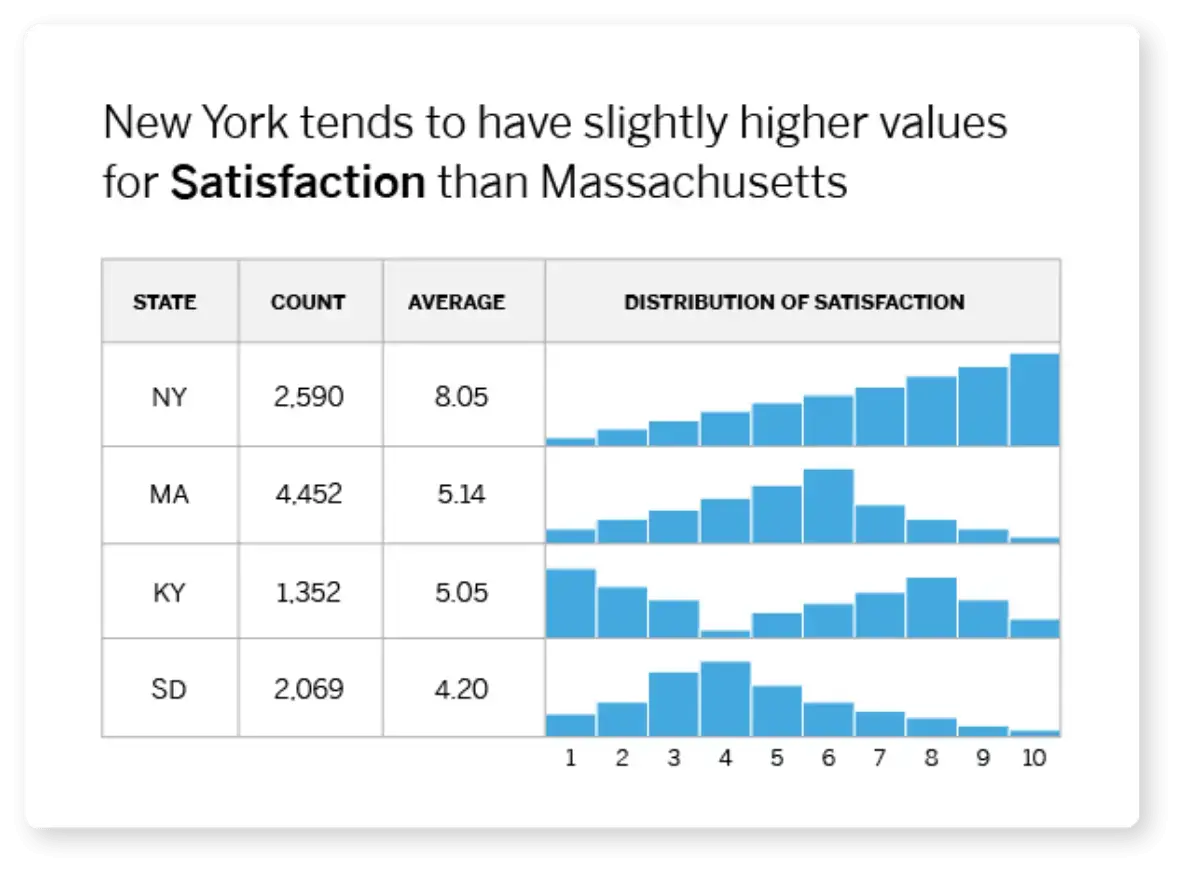
- Analyse your customer data with powerful statistics tools: You can get valuable insights on Qualtrics even if you don’t know anything about statistics.
For instance, one of their statistical models, Stats IQ, automatically chooses the right statistical test, generates visualisations, and translates results into plain language that anyone can understand and put into action.
- Get actionable recommendations to improve customer experience. Qualtrics’ AI-driven text-analytics automatically analyses customer feedback at scale and gives you recommendations for actions that you should take.
- Manage and protect customer information: Qualtrics offers enterprise-grade security to prevent data breaches. They are GDPR, HITRUST, ISO 27001 certified and FedRAMP compliant.
Another powerful tool under Qualtrics’ belt is “XM for Customer Frontlines”. This software analyses customer conversations from different channels, extracts key insights, and sends them to frontline teams (e.g. call centres) for action. It can help you:
- Optimise the customer journey. Map out the end-to-end customer journey and identify any friction points and drop-off points. Get a deeper understanding of broken digital journeys and how to fix them.
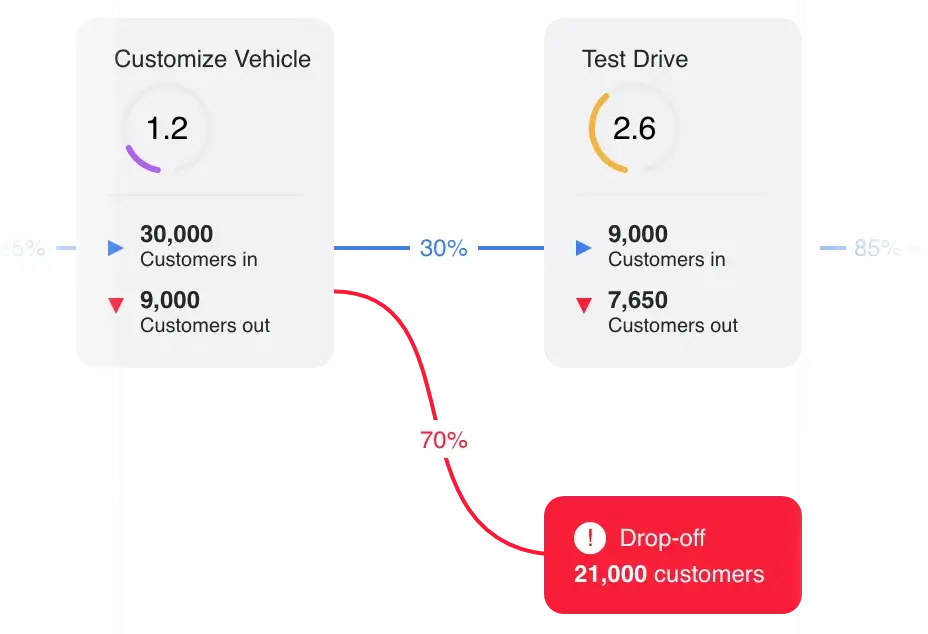
- Get insights and send them to your frontline staff. Qualtrics uses omnichannel analytics and AI automations to understand your customers and uncover the root causes of friction across 120+ feedback channels. It auto-tags customer sentiment and sends these insights to your frontline agents so they can react fast.
- Analyse physical interactions: You can use Qualtrics AI to listen to conversations, social reviews, calls, texts, and more to understand what customers are saying about your physical locations so you know what’s working, what’s not, and how to improve.
You can watch a free demo of XM for Customer Frontlines here.
Who is it for?
Qualtrics is comprehensive, but it’s also very expensive. It’s most suitable for enterprises with millions of customers and employees. Qualtrics’ customers include FedEX, Spotify, and Verizon.
Reviews
Both Qualtrics CoreXM and XM for Customer Frontlines score 4.4 out of 5 on G2.com.
Pricing
Qualtrics offers a free account for CoreXM that you can use for 8 question types, 4 survey themes, 500 responses. But for enterprises that need more, you’ll need to request a demo (and pricing).
Related Read: Qualtrics Alternatives Support & CXM Teams
MonkeyLearn - The Best DIY Text Analytics Tool
Overview
MonkeyLearn is a no-code AI tool for text analytics. You can upload your customer feedback data, build custom machine learning models to tag and analyse them, and get actionable insights.
But keep in mind that this is a “DIY” tool, so you’ll need to dedicate some time to prepare the data and train the text analysis models.
How it works
Here’s a gist of how you can build a custom text analysis model:
- Choose the text analysis model. MonkeyLearn supports two main models:
- Text classifiers: classify text into external categories or tags, e.g. sentiment, topic, urgency
- Text extractors: extract data from a give text, e.g. keywords, names, emails
You can either choose from a range of pre-trained classifiers and extractors for a quick start - or build custom ones yourself.
- Upload text data. This is where you upload your customer conversations (e.g. reviews, tweets, emails, feedback, support tickets, and articles) into Monkeylearn. The text MUST be in a CSV or Excel File since MonkeyLearn doesn’t support data scraping or extraction.

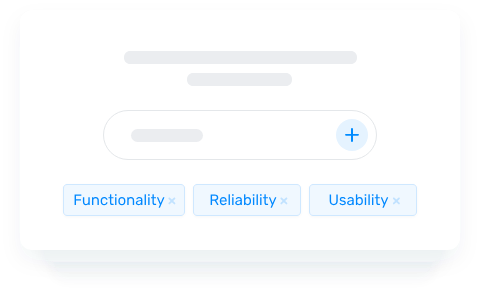
- Define tags: If your text data is untagged, you will need to define tags from scratch. MonkeyLearn recommends defining just two tags when you’re starting out, and you can add more tags later.
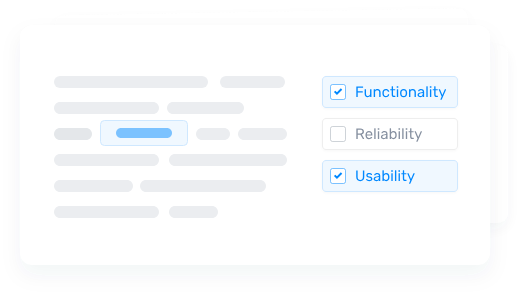
- Tag data. Next, the model will give you a small chunk of the text you uploaded so you can classify each with the tags you just defined. This is to train the model which will automatically tag texts based on your input once it has learned.
On Sentisum, our AI auto-identifies and tags data – no training or manual work needed.
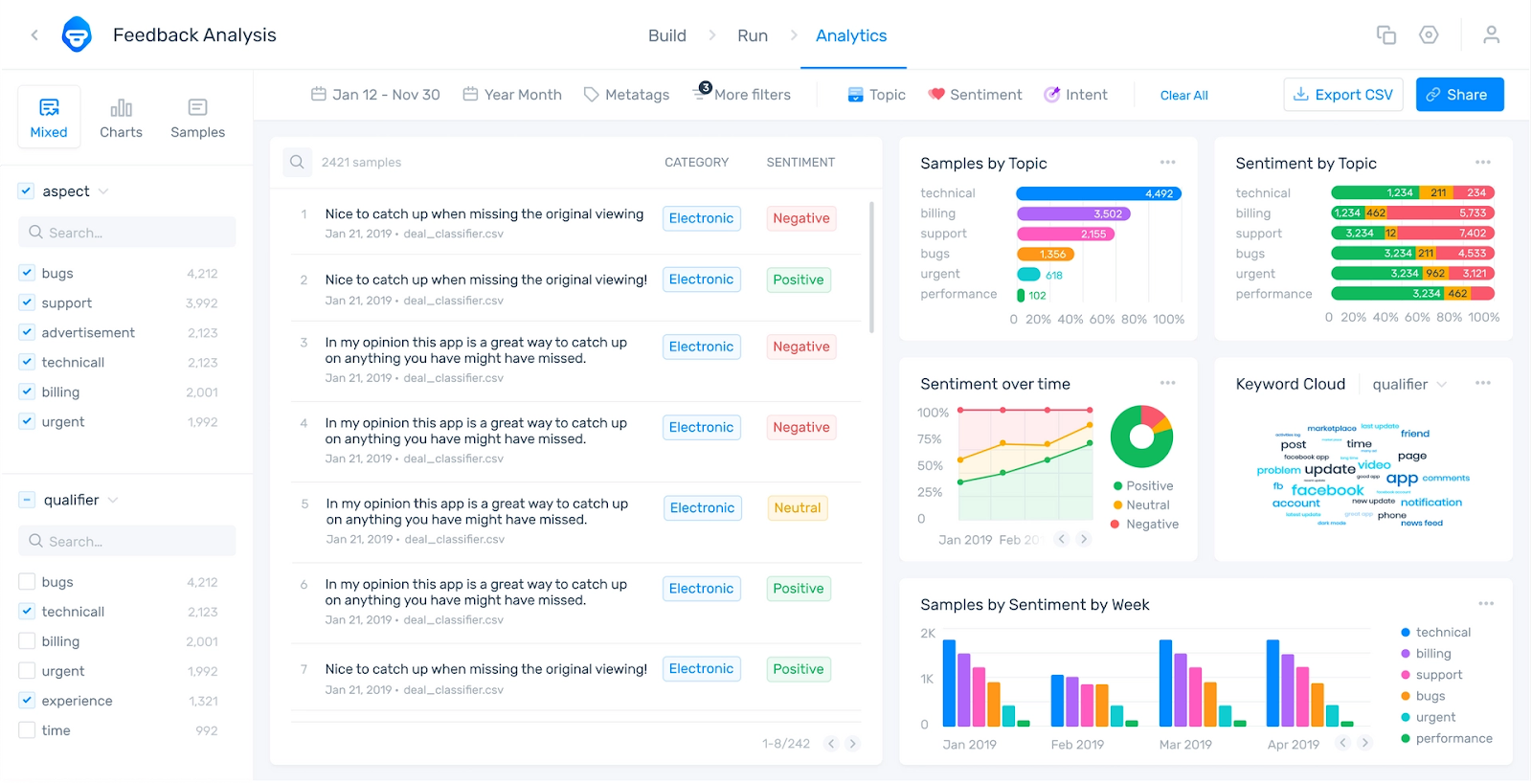
- Visualise data. Once you’re done training the model, it will extract insight from your data and show you the key insights on the main dashboard. You can go into each specific tag you defined and dig deeper into customer sentiment and keywords associated with it. You can also click on each of the keywords and it’ll show you the original customer feedback associated with them.
If you’d like to dig deeper on MonkeyLearn, you can watch this 30-min webinar.
Reviews
MonkeyLearn scores 4.0 out of 5.0 on G2.com.
Pros and Cons
Pros:
- Massive control over your data and how you want it to be analysed
- Higher data accuracy
- Simple, clean and easy to use insights dashboard
- Helpful YouTube tutorials and documentation
Cons:
- Time-consuming to manually build and train your own model
- Very advanced data analytics that require some experience and knowledge beforehand
- Surface-level insights - just tells you the “what” but not the “why” or “how”
- Complicated data visualisations without much human-context
Pricing
MonkeyLearn’s pricing is not publicly available.
More Options for Customer Experience Analysis Software
We went into a lot of details for the four tools above, but if you’d like to explore further, here are some software we recommend:
- Chattermill: the best customer voice analytics tool for retailers and eCommerce companies, finance firms, and travel companies
- Lang AI: great for building AI workflows from your customer feedback data
- Idiomatic: the best customer intelligence platform for building a Voice of Customer program from scratch
Happy Hunting!
Top 4 Customer Experience Analytics Software: Summary

Frequently Asked Questions
CX software collects data from all the places where customers interact with a business, like customer support and CSAT surveys.
It pulls together all this information into one place. Then, using analytics tech, it looks for patterns or important points in this data to understand what customers like, what they don’t, and how they feel about their experiences. It then presents these findings in easy-to-read charts and reports.
This helps businesses figure out what they need to do to make their customers happier and improve how they sell products or provide services.
Customer experience analytics software is designed to analyze and interpret interactions and behaviors of customers across various touchpoints on your customer journey.
It provides businesses with deep insights into how customers interact with their brand, products, or services, enabling companies to optimize these interactions to improve overall customer satisfaction, loyalty, and engagement.
The best experience analytics softwares aggregate data from both customer support and customer feedback channels, helping you to understand the nuances of customer behavior, preferences, and feedback at each stage of the customer lifecycle.
When picking customer experience analytics software, look for these key features:
- Real-time analytics: This lets you see what's happening with your customers right now, so you can quickly solve any problems or grab new opportunities.
- Sentiment analysis: The software figures out how customers feel from the words they use in reviews or on social media. This helps you understand if they’re happy or not.
- Customer journey mapping: It shows you the path customers take, from looking at your product to buying it. This helps you make their experience smoother.
- Integration capabilities: Good software should easily work with other tools you use, like your sales system or email platform, so all your customer info is in one place.
- AI-driven insights: Artificial intelligence can spot trends and patterns in your data that you might miss, helping you make smarter decisions to keep your customers happy.
Explore Real Success Stories

Explore Success Stories


Talk to a Data Expert